


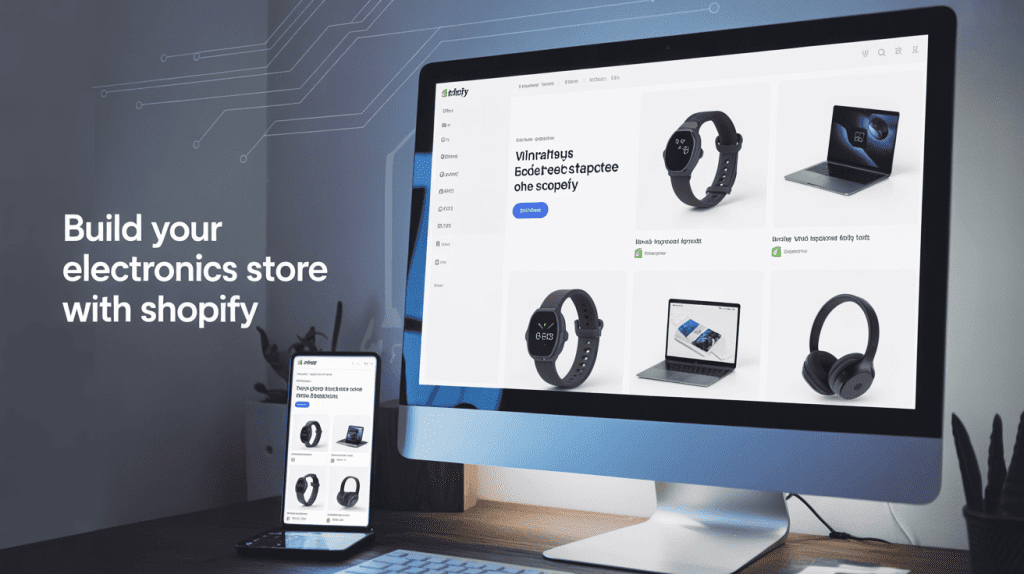
Build Electronics store with Shopify by using quality and customizable Shopify themes crafted specially to be used in the electronics field. It doesn’t matter whether you launch a particular store with smartwatches or expand a big-time e-store with gadgets and accessories of any kind; a good Shopify theme can help you achieve success.
Template sites, such as FastThemes, offer a high-end Electronics Shopify theme to make your shop more modern, responsive, and sales-oriented, without requiring any code expertise.
Through this blog, we will take you through all the information you require to impart on how to build Electronics store with Shopify and this information is obtained through the excellent electronic themes of Shopify with FastThemes’ themes like Belliza, Electronic Theme 1 & 2, and YStore.
Step-by-Step Guide to Build Electronics Store with Shopify
Step 1: Create a Shopify Account
So to begin with:
- Go to shopify.com
- Press the button “Free Trial”
- Before you proceed with the process, you have to enter your email, come up with a password, and select a store name
- Shopify will be requesting some setup questions to customise your experience
Once this is done, you will log into your Shopify dashboard, which is the control dashboard for your online electronic store.
Step 2: Pick the Right Electronics Shopify Theme from Fast Themes
Visit Electronic Shopify Themes by Fast Themes to give a fresh look to your online shop and also to make it more user-friendly. This is what makes them the best:
Belliza – Quality Electronic Shopify Template
Suited to: Medium to large electronics retailers
- New and adaptive design
- Speed-optimized loading
- Sophisticated filtering of products
- Banners and sections of the ground floor
- The customization made to banners and sections of the homepage
Belliza is ideal in case you desire to create Electronics shop with Shopify that provides a clean, professional shopping experience.
Electronic Theme 1 2
Suited to: small and mid-size gadget shops
- Product-centric layout
- Convenient pages with product description
- Several buttons with call-to-action
- Add to wishlist/compare feature
These are straightforward themes that work wonderfully and are handy when opening a start-up electronics shop in the U.S. within no time.
YStore – Shopify Theme
Suited to: Stores having large stocks and rapidly moving SKUs
- Flexible and extremely scalable layout
- More than one product grid and choices for filtering them
- Faster and better SEO configuration
In case you are planning to sell an extensive variety of electronics such as chargers, video game consoles to the hardware, YStore is your Electronics Shopify Theme.
Step 3: Add Products and Descriptions
It is time to stock your shop.
- Open it and select the Products menu, option Add Product, and enter:
- Title of the product (e.g., Sony Wireless Headphones -Model WH-XB900N)
- Description (technical features, benefits, and technical specs)
- Post high-resolution photos (front, side, packaging, and lifestyle)
- Establish prices, warehouse, shipping details and product options (e.g., color or storage capacity)
A Electronics Listing Tips:
- Put bullet points (e.g., Bluetooth version, battery life)
- Inject the keywords in the title and description
- Insert warrant or return policy data
- Include the demonstration of products or customer comments
It marks the point when your Build Electronics Store with Shopify adventure starts to take real form, as your store begins to get judged—this is also when understanding how to edit product page Shopify becomes essential to ensure each product page is optimized for conversions.
Step 4: Organize Collections & Categories
A good organization will mean a superior user experience. Group products by taking advantage of the native Shopify functionality of “Collections”.
Examples:
- Smart Watches
- Intelligent Household Appliances
- Headphones & Earbuds
- Power Accessories
- PC and Gaming Peripheral
Fast Themes’ themes provide a nice filter and search, making it easy to find what your U.S. shoppers want by brand, price, popularity, or new products.
Step 5: Customize Your Homepage and Navigation
Your home page is the shop window of your web-based electronics business. The following are what should be included:
- Best deals are described by the hero banner slider
- The top categories’ icons or images section
- Fresh Arrivals and Best Selling items
- Trust Badges such as Free U.S. Shipping or 100 Secure Payment
Do not forget to establish:
- Navigation Menus: Start, Shop, About, Contact
- Footer: shipping details, frequently asked questions, social media and returns policies
When using Fast Themes Electronic Shopify Theme, such as the Belliza or YStore, you receive homepage drag-and-drop builders and several different layouts, making it a perfect Shopify Theme for Custom Products and giving your site complete customization without touching any code.
Step 6: Configure Payments and Shipping
In order to sell in the United States successfully, you must allow well-used local and world payment options.
To reach the customers in the U.S, ensure:
- Payments: Turn on Shopify Payments, PayPal, and Apple Pay.
- Shipping: Connect with USPS, UPS, and FedEx.
- Policies: Add legal pages, Privacy Policy, Refund Policy, and Terms of Service
The right method of handling payments and shipping is one of the key aspects you need to consider when targeting the U.S. market, as the audience is very concerned about dependability and transparency. Belliza and YStore and even you can insert these links in the footer at ease.
Step 7. Install Helpful Shopify Apps
Implement a Shopify scalable functionality into the making of an Electronics store. There are a few must-have apps:
- Product Reviews Multiplier: Mini-site villa Negative Words Agenda Visitor Comments. These are credibility builders (the real questions and answers).
- Email Marketing Tools: Tools such as Shopify Email should be used.
- Live Chat Support: Get the rate of conversion with real-time assistance.
- Inventory Management: The ability to run physical inventory is especially helpful when you are dealing with many SKUs.
Fast Themes’ themes can be used with these major apps and will not break the layout.
Step 8: Optimize for SEO and Marketing
All the Electronics Shopify Theme options available at FastThemes are optimized in speed to have a fast loading speed both on desktop and mobile.
What more then to do:
- Include meta tags/keywords containing such phrases as Buy Electronics Online USA or Best Smartwatches for Fitness.
- Optimise images with Shopify tools and applications.
- Design mobile-responsive layouts, which are a part of FastThemes’ themes.
- Write educational blogs (and titles such as Top Laptops Under 1000 in 2025)
Marketing Strategies: advertise with:
- Facebook Ads and Google Ads to U.S. buyers of electronics
- Instagram or YouTube Tech Influencers
- New arrivals and discounts via Email Campaigns
Marketing is what will deliver constant traffic and help you turn your Build Electronics Store with Shopify experience into a complete enterprise.
FAQs
Q1. What is the best Electronic Shopify Theme?
Belliza has been recommended on a large scale based on its contemporary design, speed and adjustable layout.
Q2. What is the need for such an SEO-optimized Electronics Shopify Theme?
To be better noticed on the U.S. search engines and get natural traffic.
Q3. Do Fast Themes’ themes have customization?
Absolutely. You are able to adjust layouts, fonts, colors, and banners, etc., without working with code.
Conclusion
The U.S. electronics market has terrific potential, and Shopify has everything you require to avail it. Whether it is a user-friendly backend, stunning Electronics Shopify Theme options or the variety of marketing tools that customers can use, Shopify presents them with the opportunity to build Electronics store with Shopify faster than ever before.
It is better, though, to get started today, as to go through the process of signing up on Shopify, selecting your theme, posting your first products, and opening a brand-new shop that is destined to make you successful.
Are you ready to start your own electronics empire? Select your ideal Electronics Shopify Theme with template coder and create an online store with Shopify now!
Also Read:
10 Premium Shopify Themes for Watch Brands in 2025